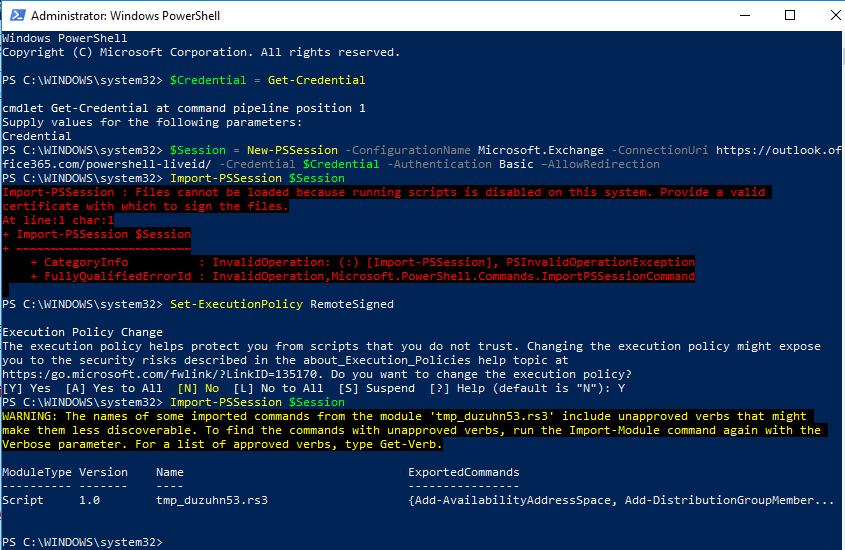
While executing PowerShell command “Import-PSSession $Session” on Microsoft 365 account, an error is thrown as “Files cannot be loaded because running scripts is disabled on this system“. This happens because you have not properly configured the PowerShell execution policy otherwise your admin has forced restrictions via GPO.
Import-PSSession : Files cannot be loaded because running scripts is disabled on this system. Provide a valid
certificate with which to sign the files.
At line:1 char:1
+ Import-PSSession $Session
+ ~~~~~~~~~~~~~~~~~~~~~~~~~
+ CategoryInfo : InvalidOperation: (:) [Import-PSSession], PSInvalidOperationException
+ FullyQualifiedErrorId : InvalidOperation,Microsoft.PowerShell.Commands.ImportPSSessionCommand
In order to fix this Import-PSSession error, run following command to permit scripts execution
- Open PowerShell with administrator privilege
- Execute “Set-ExecutionPolicy RemoteSigned“. Press Y when asked. Then Import-PSSession should execute perfectly.


Leave a Reply