Configuration guides for IT Administrators

Add AD Group account to sudoers in Ubuntu

Add AD Group account to sudoers in Ubuntu

Add Active Directory Group account to sudoers:

1.Figure out the AD group name using $ id <AD User Account>. The command lists all the AD groups that the account is member of.

ubuntuhost:/$ id itadminuser
uid=472827969(itadmingroup)

2.Add Group you see above to the sudoers file

//Edit sudoers file
$ sudo vi /etc/sudoers

//Add AD group to the file
%itadmingroup ALL=(ALL) ALL
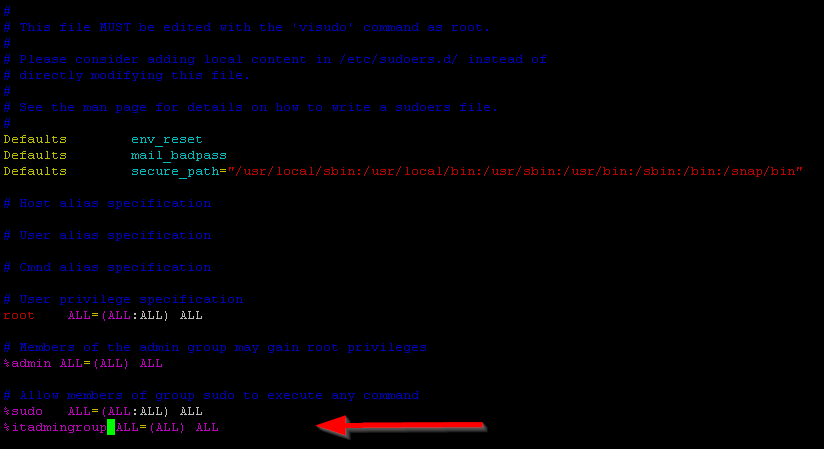
Add AD Group account to Sudoers


Categories:

Leave a Reply

Your email address will not be published. Required fields are marked *

Lucas Brey

I’m Lucas Brey, a travel blogger sharing practical guides, hidden gems, and honest tips from the road. Follow along for smart itineraries, great food finds, and stories worth bookmarking.

Tags