Are you not seeing the Facebook Page Role Invite in Notifications? Account Manager might probably have tried to cancel and resend the invitation. However, you are still not receiving a notification. In this case, follow our article further to find and accept the invitation.
Step 1: Login to your facebook account to which invitation is sent.
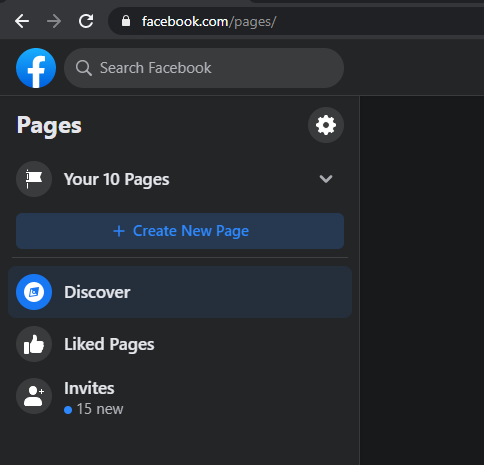
Step 2: Navigate to https://www.facebook.com/pages/
Step 3: On left menu, choose “Invites” to view all the page invites to your account.


Leave a Reply